
Best Music Downloader for PC 2026
Streaming is convenient, but it doesn’t give you real ownership. Music downloaders for PC offer better sound quality, faster batch downloads, and full control over your offline library.
In 2026, desktop music downloaders are still the best choice for users who want FLAC-quality audio, playlist downloads, and permanent files without relying on mobile apps or unstable web tools.
This guide compares the best music downloaders for PC (Windows, Mac, and Linux), explains how they work, which one is safest, and how to choose the right option based on your needs.
Why Use a Music Downloader for PC?
PC downloaders process files faster than mobile apps. Desktop processors handle large batches efficiently. You can download 100 songs in the time mobile apps take for 20.Storage space is practically unlimited on computers. Most PCs have 500GB to 2TB of storage. This holds thousands of high-quality music files without compression.
File management is simpler on desktop. Organize music into folders with one click. Transfer files to phones, tablets, or USB drives easily. PC downloaders also support automation that mobile apps lack.According to Statista, 68% of music collectors prefer desktop software for library management. The larger screens and better interfaces make organization faster.
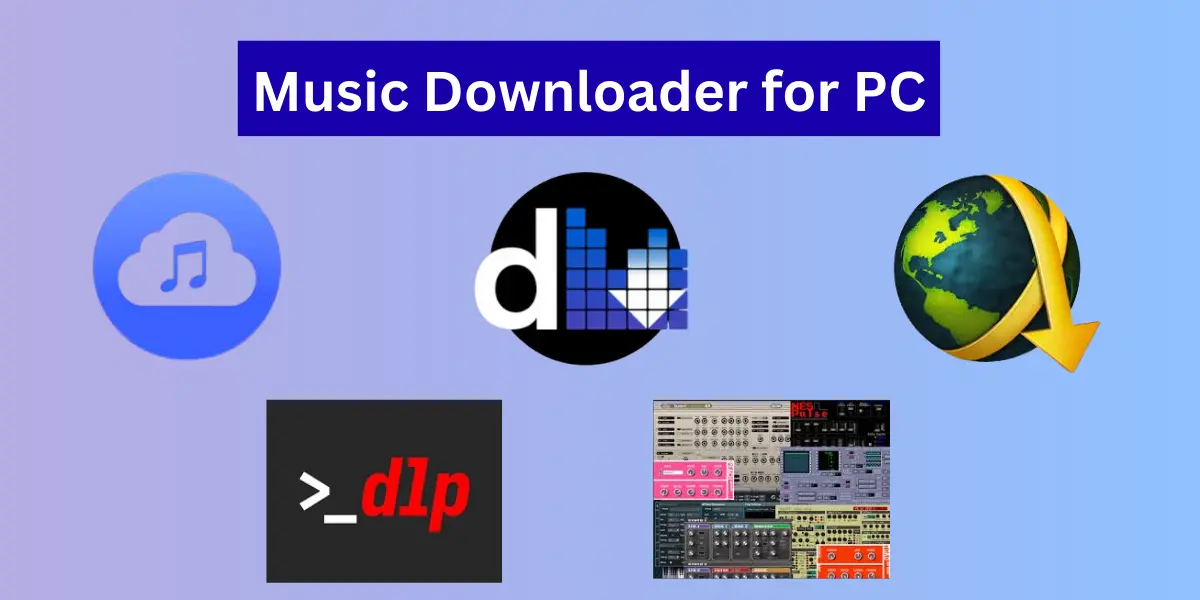
Top Music Downloaders for Windows PC
Deemix
Deemix leads the pack for quality and reliability. It downloads directly from Deezer in MP3 (320 kbps) or FLAC format. The software works on Windows 7 and newer versions.Setup takes under 5 minutes. Download the .exe installer and enter your Deezer ARL token.
The interface is clean and beginner-friendly despite powerful features.Batch downloading saves massive time. Paste a playlist URL and download 200 songs automatically. Metadata and album art embed correctly every time.
4K YouTube to MP3
This tool extracts audio from YouTube videos. It supports playlists and channels for bulk downloads. The free version limits you to 30 downloads daily.Audio quality reaches 320 kbps depending on source video.
The interface is simple with drag-and-drop functionality. Windows 7, 8, 10, and 11 are all supported.Premium costs $15 one-time for unlimited downloads. This includes automatic updates and priority support.
Audacity with Plugins
Audacity is primarily an audio editor but records streaming audio. Install the LAME MP3 encoder to save in MP3 format. It’s completely free and open-source.The learning curve is steeper than other tools. You record what plays through your speakers.
This takes real-time, so a 4-minute song needs 4 minutes to capture.Quality depends on your sound card and source. It works well for recordings not available for direct download. Windows XP through 11 are compatible.
JDownloader 2
JDownloader handles downloads from hundreds of file hosting sites. It’s not music-specific but extremely versatile. The software is free and actively maintained.Paste multiple links and it queues them automatically. It can extract audio from video hosting sites.
The interface looks dated but functionality is solid.Setup includes declining bundled software carefully. Download from the official site at jdownloader.org. Windows Vista and newer versions work fine.
yt-dlp
This command-line tool downloads from 1000+ websites. It’s the most powerful option for technical users. Video and audio downloads work from almost any source.You control everything through text commands.
This seems difficult but allows automation through scripts. Windows PowerShell or Command Prompt run it easily.The GitHub page provides detailed documentation. Active development means constant improvements. Windows 7 and up support it fully.
| Tool | Platform | Max Audio Quality | Best For | Free Version |
|---|---|---|---|---|
| Deemix | Windows, Mac, Linux | FLAC (lossless) | Deezer users & audiophiles | Yes |
| 4K YouTube to MP3 | Windows, Mac | 320 kbps MP3 | YouTube audio | Limited |
| Audacity | Windows, Mac, Linux | Source-based | Recording rare audio | Yes |
| JDownloader 2 | Windows, Mac, Linux | Source-based | Bulk link downloads | Yes |
| yt-dlp | Windows, Mac, Linux | Source-based | Advanced users & automation | Yes |
Note: The “best” music downloader depends on your music source, technical skill level, and audio quality needs. No single tool is perfect for every user, which is why this guide compares multiple options objectively.Best Music Downloader for PC: Complete 2026 Guide
Best Music Downloaders for Mac
Deemix for macOS
The Mac version mirrors Windows functionality. Download the .dmg file and drag to Applications. It requires macOS 10.12 or newer to run.Mac users appreciate the native interface design. It follows Apple’s design guidelines closely. Performance on M1 and M2 chips is excellent.
MediaHuman YouTube to MP3
This Mac-native app converts YouTube videos to audio. It handles playlists and imports from text files. The interface follows Mac design standards perfectly.Free users get unlimited downloads with occasional ads. Premium removes ads for $19.99 lifetime. It’s one of the best-designed Mac music tools available.
XLD (X Lossless Decoder)
XLD converts between audio formats on Mac. It handles FLAC, ALAC, WAV, and more. The tool is free and works on all modern macOS versions.While not a downloader itself, it’s essential for format conversion. Downloaded FLAC files convert to Apple-friendly ALAC. Quality stays lossless throughout the process.
Music Downloaders for Linux PC
Deemix on Linux
Linux users have multiple installation options. AppImage works on any distribution without installation. Debian and Ubuntu users can install .deb packages.Arch Linux users find it in the AUR. Compile from source for the absolute latest features. All major distributions run it smoothly.
youtube-dl and yt-dlp
These command-line tools are native to Linux. Install through your package manager in seconds. They download audio and video from thousands of sites.Terminal commands give precise control over quality and format. Scripts automate repetitive download tasks. Both tools work on any Linux distribution.
SoundCloud Downloader
This lightweight tool focuses on SoundCloud tracks. It’s open-source and available through GitHub. Installation through pip makes it simple for Python users.The tool respects download permissions on tracks. Only downloadable content actually downloads. Artists who disable downloads remain protected.
How to Choose the Right Music Downloader for Your PC
Consider your music source first. Spotify downloaders differ from YouTube tools. Deezer requires specific authentication like ARL tokens.Think about audio quality needs. Audiophiles need FLAC support for lossless files. Casual listeners do fine with 320 kbps MP3.
Batch downloading matters for large collections. Tools that handle playlists save hours. Single-track tools work for occasional downloads only.Interface preferences vary by user. Beginners need simple, visual interfaces. Advanced users benefit from command-line control and automation.
What Audio Quality Should You Download?
128 kbps MP3: Uses 1MB per minute of music. Quality is acceptable for background listening. Not recommended for focused music enjoyment.
320 kbps MP3: Uses 2.5MB per minute. Most people can’t distinguish this from lossless. This is the sweet spot for storage vs quality.
FLAC (lossless): Uses 5-9MB per minute. Identical to CD quality audio. Only worthwhile with good headphones or speakers.
Audio research from the Journal of the Audio Engineering Society confirms most listeners can’t hear differences above 256 kbps with typical equipment.
How Do Music Downloaders for PC Work?
Most tools connect to music streaming APIs. They authenticate with your account credentials. Then they download files directly to your computer. Some tools record audio streams in real-time. This works but takes longer. You must play through the entire track to capture it.
Command-line tools use website scraping techniques. They find direct file links on pages. Then they download those files to your chosen folder. Browser extensions monitor your web activity. When you play music, they detect the stream. One click saves that stream to your downloads folder.
Are PC Music Downloaders Legal to Use?
The software itself is legal in most countries. Tools are neutral technology. They can be used legally or illegally depending on content. Downloading copyrighted music without permission violates copyright law. This applies regardless of which tool you use. Personal backups of owned content are different.
The Electronic Frontier Foundation states that format shifting may qualify as fair use. This means converting CDs you own to digital files. But downloading from streaming services is murkier legally. Always check your local copyright laws. Some countries allow personal downloading. Others strictly prohibit it. Know the rules where you live.
How to Download Music Safely on PC
Download software from official sources only. GitHub repositories and official websites are safe. Third-party download sites often bundle malware. Use antivirus software and keep it updated. Scan all downloaded files before opening. Windows Defender works well for basic protection.
Avoid tools requiring suspicious permissions. Music downloaders don’t need admin access usually. Be wary of programs wanting excessive system access. Read user reviews before installing new software. Reddit communities like r/software provide honest feedback. Check for recent reviews to ensure current safety.
Setting Up Your Music Download Folder
Create a dedicated Music folder for downloads. Organize subfolders by artist and album. Most downloaders can automatically create this structure.Use consistent naming conventions for files. “Artist – Song Title” works well for most music players. Avoid special characters that confuse some systems.
Enable file sorting by date added or modified. This helps track recent downloads. You can find new music quickly without searching.Consider cloud backup for your music library. Google Drive and Dropbox preserve files if your PC crashes. External hard drives add another safety layer.
Best Practices for Batch Downloading
Download during off-peak internet hours. Late night or early morning speeds are faster. Your ISP has less network congestion then. Limit simultaneous downloads to avoid rate limiting. 3-5 tracks at once work well. Too many overwhelm both your PC and the source server.
Check downloaded files before deleting sources. Verify audio plays correctly and isn’t corrupted. Incomplete downloads sometimes appear successful. Use download managers for large batches. They resume interrupted downloads automatically. This prevents losing progress on 500+ track downloads.
How Fast Can PC Music Downloaders Work?
Download speed depends on three main factors. Your internet connection speed sets the upper limit. A 100 Mbps connection downloads about 12 MB per second.Source server speed affects performance too. Deezer and Spotify have fast servers. Smaller file hosts might throttle speeds.
Your PC’s processing power matters for conversion. Encoding FLAC files is CPU-intensive. Older PCs take longer to process large batches.Most users download 50-100 songs in 10-15 minutes at 320 kbps. FLAC files take 2-3 times longer due to larger file sizes.
Troubleshooting Common Download Issues
Downloads Keep Failing
Check your internet connection stability. WiFi interruptions cause failures. Try ethernet cable for reliability during large downloads.
Verify authentication hasn’t expired. Many tools use temporary tokens. Generate fresh credentials if downloads suddenly stop working.
Poor Audio Quality
Ensure you selected the highest quality setting. Free accounts often limit quality to 128 kbps. Premium subscriptions unlock better options. Check the source file quality. Downloaded audio can’t exceed original quality. A 128 kbps source stays 128 kbps forever.
Missing Album Art or Metadata
Enable metadata downloading in settings. Some tools skip this by default. Manual tagging tools like Mp3tag fix existing files. The source might lack complete information. Rare or obscure tracks often have incomplete metadata. Manual editing is necessary sometimes.
Slow Download Speeds
Close bandwidth-heavy applications like video streaming. This frees up connection for downloads. Pause cloud syncing services temporarily too. Try downloading at different times of day. Peak hours (6-10 PM) are slowest. Morning downloads often run 50% faster.
Converting Between Audio Formats
Format conversion preserves your music for different devices. FLAC works everywhere but uses lots of space. Converting to ALAC helps on Apple devices. Tools like FFmpeg handle all conversions. It’s command-line but extremely powerful. GUI alternatives include Foobar2000 and Audacity.
Never convert lossy to lossy formats. Going from MP3 to AAC degrades quality further. Always convert from lossless sources when possible. Batch conversion saves time with large libraries. Convert 1000 files overnight while you sleep. Most tools can process entire folders automatically.
Organizing Downloaded Music Libraries
Music player software helps organize collections. Foobar2000 on Windows is excellent. Swinsian works great on Mac. Tag editing tools fix incorrect metadata. Music Brainz Picard uses a massive database. It auto-tags files with correct information.
Create smart playlists based on criteria. Sort by genre, year, or play count. This makes finding music faster than folder browsing. Remove duplicate files with specialized tools. Duplicate Cleaner finds exact and similar copies. This frees storage space significantly.
Free vs Paid Music Downloaders
Free tools work well for occasional downloads. Ads and speed limits are tolerable. Features like batch downloading may be restricted. Paid software removes all limitations. Faster speeds and unlimited downloads justify costs. One-time payments beat monthly subscriptions usually.
Most users start with free options. Upgrade only if limitations become annoying. Many free tools satisfy typical needs completely. Consider your download frequency before paying. Downloading 20 songs monthly doesn’t justify $20 software. Heavy users save time and frustration with premium tools.
Music Downloader Alternatives for PC
Streaming services with offline modes are legal alternatives. Spotify Premium and Apple Music allow offline playback. Files stay accessible only while subscribed though.CD ripping creates legal digital copies. Windows Media Player and iTunes rip CDs easily. Quality matches the original disc perfectly.
Bandcamp lets artists sell direct downloads. You own files permanently after purchase. It’s the most artist-friendly option available. Free music archives like Internet Archive offer public domain content. Classical music and old recordings are completely legal. Selection is limited to older material though.
Future of Music Downloading on PC
Cloud storage integration will improve. Download directly to Google Drive or Dropbox. Access music from any device seamlessly.AI-powered organization is coming. Tools will auto-tag files with scary accuracy. Genre classification and playlist creation become automatic.
Blockchain-based music platforms are emerging. These ensure artists get paid fairly. Downloaders will integrate with decentralized platforms. Voice control will arrive eventually. Tell your PC to “download the new album by X”. Hands-free music management becomes reality.
Is a PC Music Downloader Right for You?
Consider PC downloaders if you want complete control. They offer better quality and features than mobile solutions. Large libraries are easier to manage on computers. Skip PC tools if you only want 10-20 songs. Mobile apps work fine for small collections. The PC setup isn’t worth it then.
Audiophiles absolutely need PC downloaders. FLAC files and proper organization require desktop power. Mobile devices can’t match the experience. Casual listeners might prefer streaming services. Offline modes are convenient enough. No technical setup or storage management needed.
Getting Started with Your First PC Music Downloader
Choose Deemix if you use Deezer. It’s the most reliable option available. Setup takes 5 minutes from download to first track. Try 4K YouTube to MP3 for YouTube content. The free version lets you test functionality. Upgrade if you like it.
Advanced users should explore yt-dlp. The learning curve pays off with flexibility. You can download from almost anywhere.Start with small downloads to test. Download 5-10 songs first. Verify everything works before batch downloading hundreds of tracks.
